![Screenshot 2024-08-23 091029.png]](https://43918723.hs-sites-na2.com/hs-fs/hubfs/Screenshot%202024-08-23%20091029.png?width=200&height=57&name=Screenshot%202024-08-23%20091029.png)
Navigate to Report on the left-hand Menu.
Select the Report you want to Run
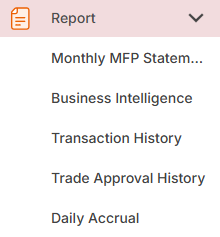
Monthly MFP Statement
Business Intelligence
Transaction History
Trade Approval History
Daily Accrual
Select the Customer/Company, Time Frame and Funds. Select the red Refresh button to run the report.